
Oh my, where do I start?

I stumbled upon Inkarnate one day when I was doing an internet search for mapmaking options. I already had the map for my fantasy land on a plain piece of white paper, but I wanted it to look authentic—with landforms, oceans, forests, roads, and settlements delineated and in color if possible. There is nothing I like more than opening up a fantasy book cover and seeing an interesting MAP.
As you can see, it was horribly boring, and woefully underwhelming.
Initially, when I opened up Inkarnate (free-version), I was thrilled! Here was a design tool where I didn’t feel like a non-artist (as I am). There was a picture in my mind of a coastline present to the northwest of my central land, and I couldn’t draw it correctly at ALL (ugh). Suddenly with Inkarnate, I could make things appear as I wanted; the maps were not pre-generated like other internet sites I had dabbled with.
I bet you can guess what happened next…
Yeah, before I knew it, it was dark outside and the dogs needed feeding… but I had a NEW MAP!

I was so pleased with the result that I decided to take the time and attempt to transfer (freehand) my plain map into Inkarnate. But… I wasn’t so confident about my ability drawing with the mouse. On a whim, I emailed the Inkarnate support team and asked if a scanned document could be imported and modified. And I HOPED against hope that it was.
To my great delight, the answer came back YES with details on how to make it happen! On the next opportunity, I uploaded my bland map, and after several sessions, came out with:
The political lines, roads, rivers and water bodies took time to outline, but I was able to follow my faint lines on the uploaded copy, thankfully. It was really the shading built into the ocean and land textures that made it come alive, though. I was pretty pleased. The icons available in the free version were great, but the pro version held many more choices. After a bit of thinking, I opted to pay the modest yearly price and upgraded to the pro version for the greater variety.
A bit before Christmas, Inkarnate introduced a beta HD version of their new pro upgrade, and I signed up immediately. Once I opened my maps again, the difference was HUGE!


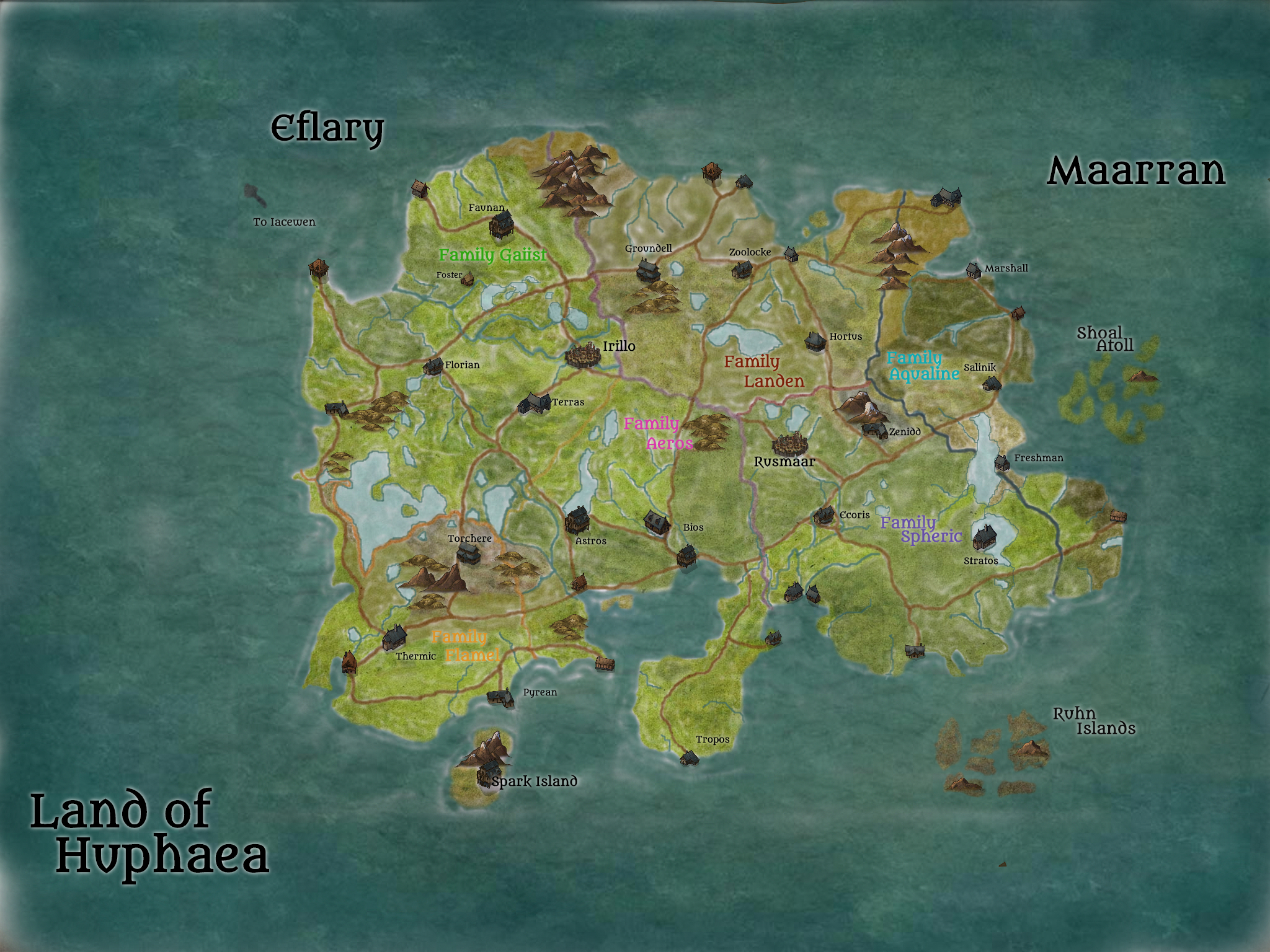
As you can see in the Iacewen map, the icons are FAR more advanced in design, color, and features (volcanoes, snow on the mountains, etc.) The trees are grouped into species, and there are several forms of each to choose from or rotate through to create realistic forests. Every feature can be resized on a 1-100 gradient depending on the scale of your map. These here are in the 25 and less range because my map is large on distance.
The addition of a shadow feature creates depth in any place you enable it, and I have seen some incredibly detailed shorelines other users have made. Along with that, the amount of different stamps in common fantasy categories (elves, orcs, human, goblin, etc) make it possible to create incredibly detailed cities on a very visible scale. Role players have produced some amazing creations, check out the Inkarnate reddit if you are interested in the possibilities.
Two of the better features, I think, are the SAVE reminder and the Path tool. I was happily editing along, and this box popped up in the lower left corner, telling me I had made over 60 edits and it was time to save — wa-wa-wwhhaaatt? Where is that feature in everything else? And you can bet I saved immediately!
The Path tool came a bit too late for me initially, but I was delighted to be able to go back and apply it to my solid road lines. It changed them to a dotted string, and the map came to life! The roads suddenly looked like thoroughfares even without a key. The map started to look like something I would see covering the inside cover of a novel. There are even beautiful scroll-work edges and parchment-like borders you can add to your creation so that it resembles a weather-beaten map.
The differences aren’t as visible on the second Huphaea map, but I notice it in the depth of the land textures. I have quite a bit more to do; undoubtedly I will continue to amend as I go.
If you are an author (especially of fantasy) enmeshed in worldbuilding, or an RPGer, hop on over to Inkarnate and play around for a few minutes, then tell me you aren’t hooked. I highly recommend Inkarnate for anything you need to map out, even if it’s only to keep it straight in your head while you write. Sorry about the rabbit hole, though…

On second thought, nope, I’m not. Happy mapping!~
What have you used to map your world? Have you made a physical copy, or prefer to keep it in your head? Leave a comment below, I’d love to know your thoughts about maps and creating them!~
 The Sun, a Book, and a Dog